How to Spot a Phishing Email
Veda Tyler
September 25, 2026
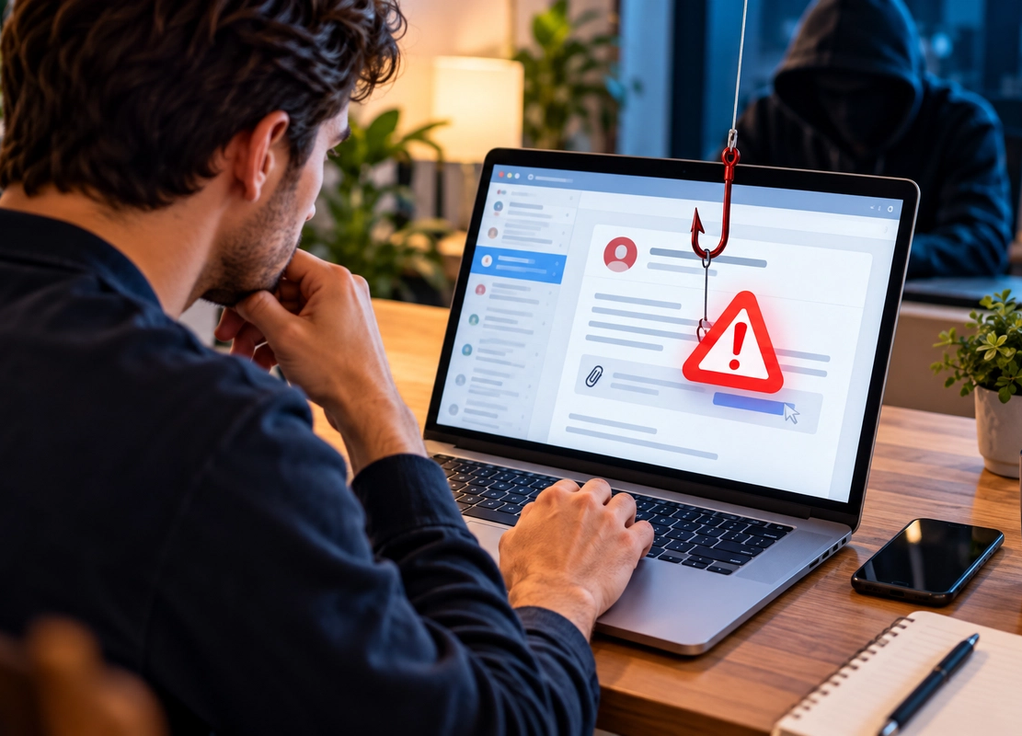
Phishing emails used to be relatively easy to recognize. Many contained strange grammar, unbelievable promises, obvious spelling mistakes, and suspicious-looking links. Modern phishing can be much more convincing. Attackers can copy company branding, imitate legitimate notifications, personalize messages with publicly available information, and write polished emails that look almost identical to something your bank, employer, delivery company, or streaming service might actually send.
That means spotting phishing is no longer about looking for one obvious mistake. It is about understanding what the sender is trying to make you do. Most phishing attempts create a reason for you to click a link, open a file, send information, transfer money, or enter credentials before you have time to think carefully.
Phishing is mostly about manipulating people
Phishing is a form of social engineering. Instead of attacking a computer system directly, the attacker tries to persuade a person to provide access.
A message might claim that your account has been locked and needs immediate verification. Another might say you have an unpaid invoice. You could receive a fake delivery notification, password-reset request, tax message, job offer, security warning, or document-sharing invitation.
The story changes, but the objective is similar.
The attacker wants you to take an action that benefits them.
That could mean revealing a password, providing payment information, approving a login, downloading malicious software, or sending money.
Understanding that goal makes phishing much easier to recognize.
Urgency is one of the biggest warning signs
Phishing works best when you react before thinking.
That is why suspicious messages often create urgency.
“Your account will be suspended today.”
“Payment required immediately.”
“Your package cannot be delivered.”
“Unusual login detected.”
“You have 30 minutes to verify your identity.”
Some legitimate organizations do send urgent messages, so urgency alone does not prove an email is fraudulent.
The important question is whether the urgency is being used to push you toward an unusual action.
If an email makes you anxious and immediately tells you to click something, slow down.
Attackers frequently rely on emotion to shorten the time between reading and acting.
Check the actual sender address
The display name at the top of an email is not enough.
A message may appear to come from “Microsoft Support,” “Your Bank,” or even the name of someone you know while the underlying email address belongs to an unrelated domain.
Look at the complete sender address.
Attackers sometimes register domains that resemble legitimate ones by changing a letter, adding a word, using an unusual domain ending, or creating a name that looks convincing at a glance.
For example, the difference between a company’s genuine domain and a fake variation may be only one character.
Do not ask whether the address looks roughly correct.
Ask whether it is actually correct.
Be suspicious when the message changes normal behavior
Context is one of your strongest defenses.
Suppose your manager normally sends invoices through an internal system but suddenly emails asking you to pay one through an unfamiliar link.
That change matters.
Perhaps a colleague who normally communicates casually sends an unusually formal message asking you to purchase gift cards.
That is worth verifying.
A bank that normally tells you to open its official app suddenly asks you to enter account credentials through an email form.
Again, something has changed.
Attackers often succeed because they imitate the appearance of a trusted person or company while asking for behavior that the real person or company would not normally request.
Links deserve special attention
A phishing email often depends on getting you onto a fraudulent website.
The link text may look legitimate while the actual destination goes somewhere completely different.
On computers, you can often hover over a link without clicking it to preview the destination. On mobile devices, interfaces vary, so be cautious about interacting with suspicious links simply to investigate them.
Look carefully at the domain.
Attackers may create pages that visually imitate well-known login screens. The logo, colors, fonts, and layout can look almost perfect.
But the address reveals that you are not actually on the company’s website.
The safest option for sensitive accounts is often to avoid the email link entirely. Open the organization’s official app or navigate to its website independently and check whether the same alert appears there.
Unexpected attachments should make you cautious
Attachments are another common phishing technique.
The email may claim to contain an invoice, receipt, résumé, shipping document, contract, voicemail, or other file designed to make opening it feel natural.
The context matters more than the filename.
Were you expecting this document?
Do you know the sender?
Does the request make sense?
Even familiar-looking file types deserve caution when they arrive unexpectedly.
Organizations increasingly use security systems to scan attachments, but no system is perfect.
If something feels unusual, verify the message through another channel before opening the file.
Password requests are a major warning sign
Legitimate services may send you a link to reset a password, particularly if you requested the reset yourself.
They generally should not need you to email your password back to them.
Your password is supposed to prove that you are you.
A company asking you to send it through ordinary email should immediately raise concerns.
The same caution applies to authentication codes.
If you receive a login verification code you did not request, someone may be attempting to access your account.
Never provide verification codes to someone simply because they contact you claiming to represent the company.
Watch for fake login pages
One of the most effective phishing techniques is credential harvesting.
You click a link and arrive at what appears to be a normal login page.
You enter your username and password.
The page may then show an error or redirect you to the real website.
From your perspective, perhaps the login simply failed once.
From the attacker’s perspective, the objective has already been achieved.
They now have the credentials you entered.
This is why checking the website address before entering sensitive information is so important.
A beautiful login page proves almost nothing. Websites are relatively easy to copy visually.
Personalization does not prove legitimacy
Older phishing messages were often generic because attackers sent the same email to enormous numbers of people.
Modern attacks can be personalized.
An attacker may know your name, employer, job title, school, colleagues, or other details available through websites and social media.
More targeted attacks are sometimes called spear phishing.
A message that knows where you work can feel trustworthy because the information appears private.
It may not be.
Public information can provide enough context to create a surprisingly convincing email.
Judge the request, sender, and communication channel rather than assuming personal details prove authenticity.
Business payment requests deserve extra verification
Organizations are frequent targets of phishing because a single successful message can lead directly to financial loss.
Attackers may impersonate executives, suppliers, clients, or employees.
A common pattern involves changing payment instructions.
An email appears to come from a familiar supplier and explains that its bank account has changed. Future payments should be sent to a new account.
The email may look completely legitimate.
But if the supplier’s email account was compromised or the sender was successfully impersonated, following those instructions could send money directly to criminals.
Sensitive financial changes should therefore be verified through an independent trusted channel, particularly when bank details or payment procedures suddenly change.
Grammar is no longer a reliable phishing test
Poor spelling can still be a warning sign.
It simply should not be your primary defense.
Attackers now have access to translation tools, writing assistants, templates, and generative AI capable of producing professional-looking messages.
A phishing email can be perfectly grammatical.
It can use the correct tone.
It can include polished branding.
It can even imitate the writing style of legitimate corporate communication.
Modern phishing detection needs to focus less on whether the email looks professional and more on whether the sender, request, destination, and context make sense.
Multi-factor authentication can limit the damage
Suppose you accidentally enter a password into a phishing site.
If the account is protected only by that password, the attacker may immediately try to log in.
Multi-factor authentication creates an additional barrier.
Depending on the system, another verification step may be required.
However, attackers can also attempt to steal verification codes or trick users into approving login requests.
That means multi-factor authentication is extremely useful but should not become a reason to ignore suspicious behavior.
Passkeys and phishing-resistant authentication methods can provide stronger protection in supported environments because they are designed to make credential theft more difficult.
Password managers can provide an unexpected warning
Password managers are useful because they create and store unique passwords.
They can also indirectly help identify phishing sites.
A password manager associates saved credentials with particular websites. If you land on a fake login page using a different domain, the manager may not automatically offer the saved password.
That absence can be a clue.
Instead of manually copying the password and continuing, stop and check the address.
Sometimes a tool refusing to cooperate is exactly the warning you need.
Verify suspicious requests through another channel
If an email appears to come from someone you know but the request seems unusual, verify it independently.
Do not reply to the suspicious email asking whether it is real, because you may simply be communicating with the attacker.
Instead, use contact information you already trust.
Call the person.
Send them a message through your normal workplace communication system.
Open the company’s official app.
Type the known website address yourself.
The key is creating a separate path of verification.
If you clicked, act quickly without panicking
Clicking a phishing link does not automatically mean your account has been compromised.
The important question is what happened afterward.
If you entered a password, change it promptly using the legitimate website or application. If you reused that password elsewhere, those accounts may need attention too.
If you provided financial information, contact the relevant financial institution through official channels.
If the incident happened at work, report it to the appropriate IT or security team quickly. Fast reporting can help organizations investigate and contain potential damage.
Do not hide the mistake because you feel embarrassed.
Phishing attacks are deliberately designed to fool people.
The best defense is developing a small pause
You do not need to become a cybersecurity expert to avoid most phishing attempts.
You need a habit.
When an unexpected email asks you to do something important, pause before acting.
Who actually sent this?
Was I expecting it?
Why is it urgent?
Where does this link really go?
Why does this person need this information?
Can I verify the request another way?
Those few seconds can make an enormous difference.
Phishing succeeds when the attacker controls the pace of the interaction.
The moment you stop, check, and verify independently, you take that control back.